
Find your next favorite story.
A little discovery. A lot to love. Ani Hood brings popular picks, the latest episodes, new releases, top anime, and an estimated airing schedule together with a library for the series you care about.
In testing now · launching on Google Play and the App Store
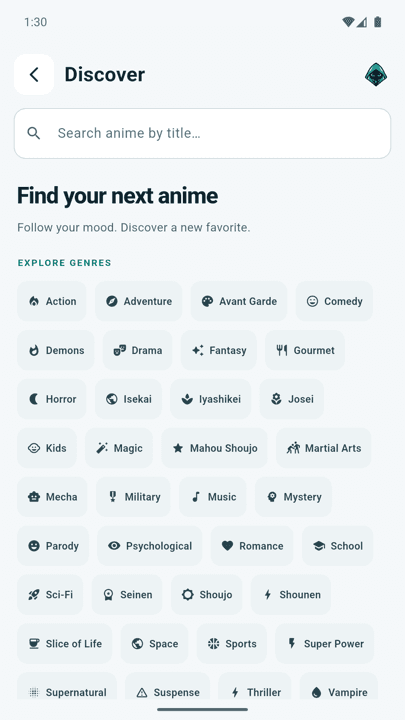
Discover in Ani Hood · light mode
Ani Hood
Everything you need to pick what's next
From the home screen to a series page, Ani Hood is built around discovery — and keeping track of what you find.
Popular right now
Open the app to a carousel of popular series — find something worth staying up for.
Latest episodes
Keep up with fresh episodes and filter the feed to match how you like to watch.
- All
- Sub
- Dub
- Chinese
- Trending
New releases & top anime
Browse what just arrived alongside the top anime, right from the home screen.
Estimated airing schedule
A dedicated schedule tab shows estimated air times, so you know roughly when the next episode lands.
Rich series pages
Details, tags, watch order, related series, and recommendations help you decide what to watch next.
Library & custom lists
Bookmark series and group them into lists of your own, so the stories you love stay close.
Light & dark mode
A calm, readable interface that looks right in daylight or at 2 a.m.
Easy sign-in
Sign in with email, Google, or Apple — whichever you prefer.
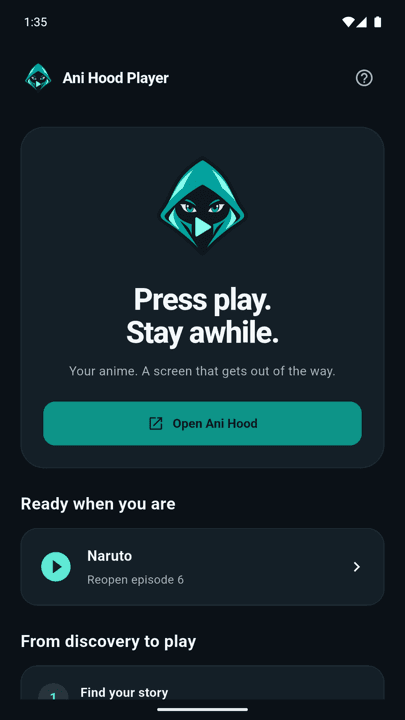
Companion app
Ani Hood Player
Press play. Stay awhile. Choose an episode in Ani Hood and it opens right in the Player — a screen that gets out of the way.
- Handed off from Ani HoodPick an episode in Ani Hood and the Player takes it from there.
- Server and sub/dub pickerSwitch servers or choose subbed or dubbed when options are available.
- FullscreenTap the fullscreen button or double-tap the video.
- CastSend playback to a compatible TV on the same Wi-Fi network.
Download
Coming soon to Android and iOS
Ani Hood and Ani Hood Player aren't publicly available yet. Store links will appear here as soon as they launch.
- Coming soonGoogle Play
- Coming soonApp Store


When can I download Ani Hood?
Soon. Ani Hood and Ani Hood Player are being tested ahead of release on Google Play and the App Store. This page will link to the stores once the apps are live.
What is Ani Hood Player?
A companion video player. When you pick an episode in Ani Hood and the Player is installed, Ani Hood hands the episode to it for playback, with server and sub/dub options, fullscreen, and casting.
Do I need an account?
Ani Hood supports sign-in with email, Google, or Apple. Ani Hood Player does not have a separate account.
Where do titles and episodes come from?
Ani Hood connects to third-party catalog, image, and video services. Availability depends on those providers, so a title or episode may occasionally be unavailable.
How do I delete my account?
In Ani Hood, open Settings → Delete account. You can also use the account deletion page for email and password accounts, or email support.